Unity Matchmaker Backfill Integration Guide
Last updated: July 16, 2026
This guide provides a step-by-step checklist for integrating the backfill feature of the Unity Matchmaker service with Multiplay.
Note: Backfill relies on the customers fleet already having a Unity Matchmaker integration. Either via the URL proxy or via the Cloud Code integration method.
STEPS
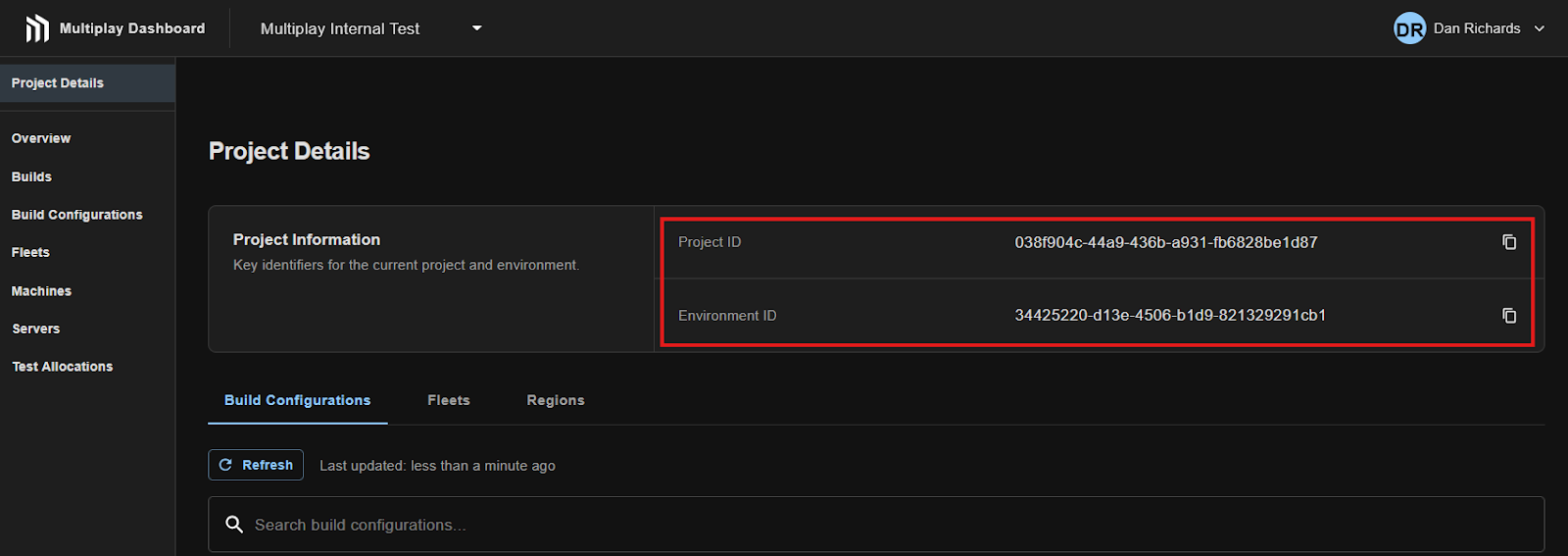
Open the Multiplay Dashboard to the “Project Details” page. Note down the project ID and environment ID in which you want to enable Unity Matchmaker backfill.
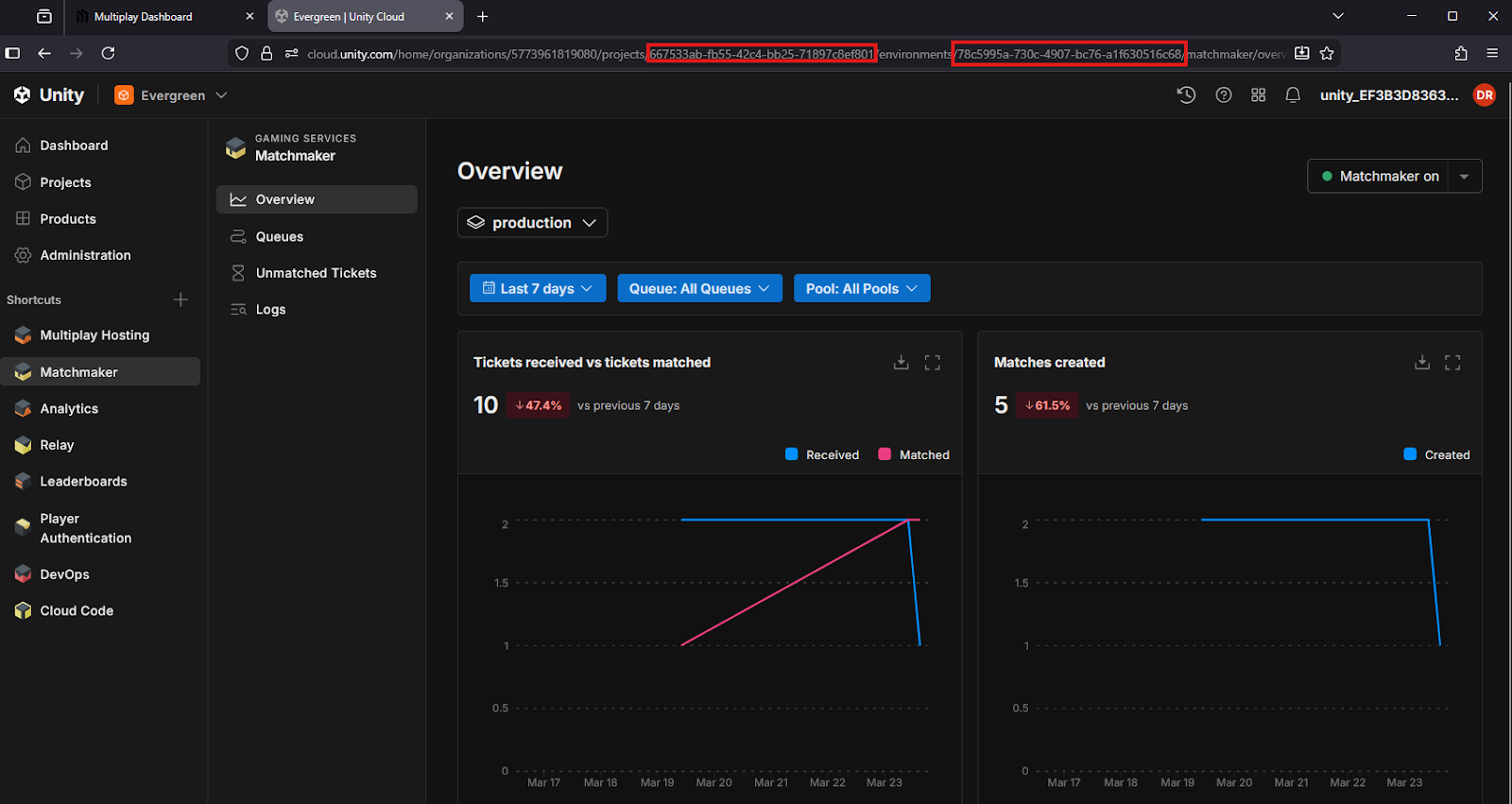
Open the Unity Dashboard to the Matchmaker page. Note down the project ID and environment ID from the URL
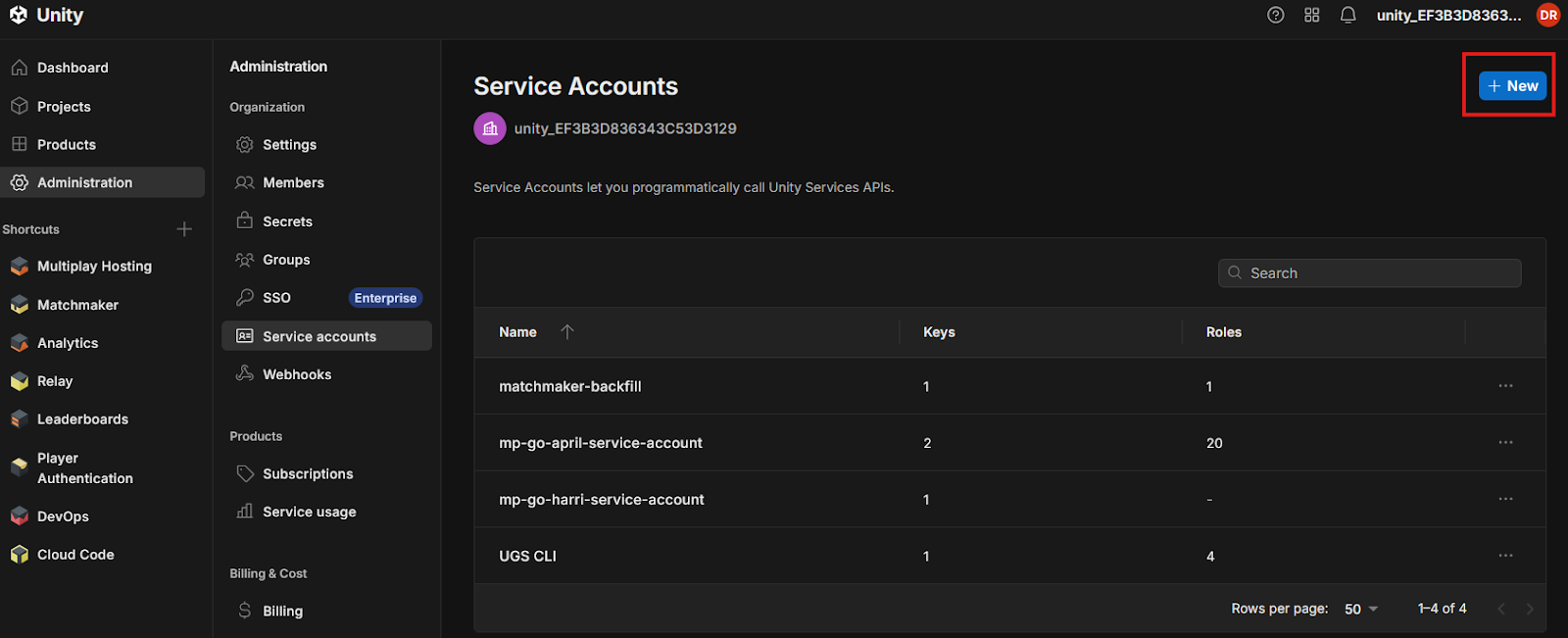
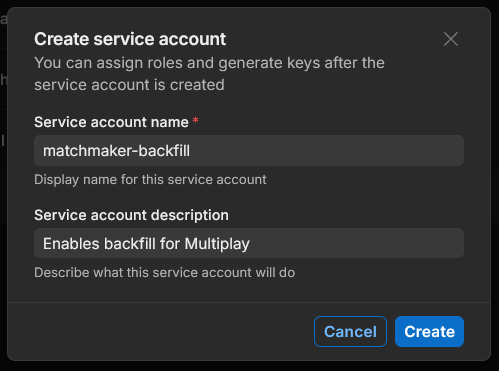
Open the “Administration > Service Accounts” page on the Unity dashboard, click the “+New” button
In the modal, enter a name and description for the service account:
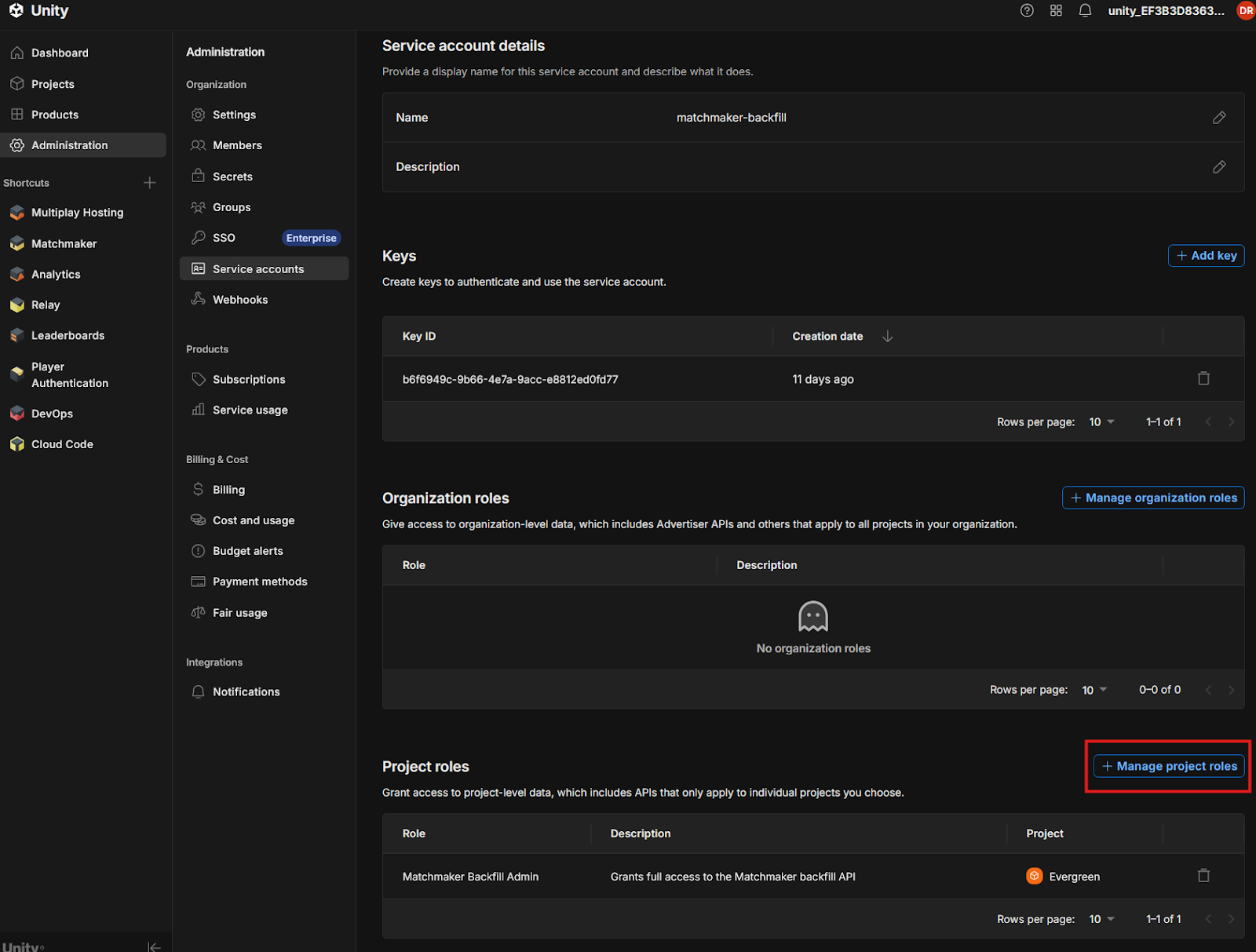
On the page that opens, scroll down to “Project Roles” and click the “+ Manage project roles” button:
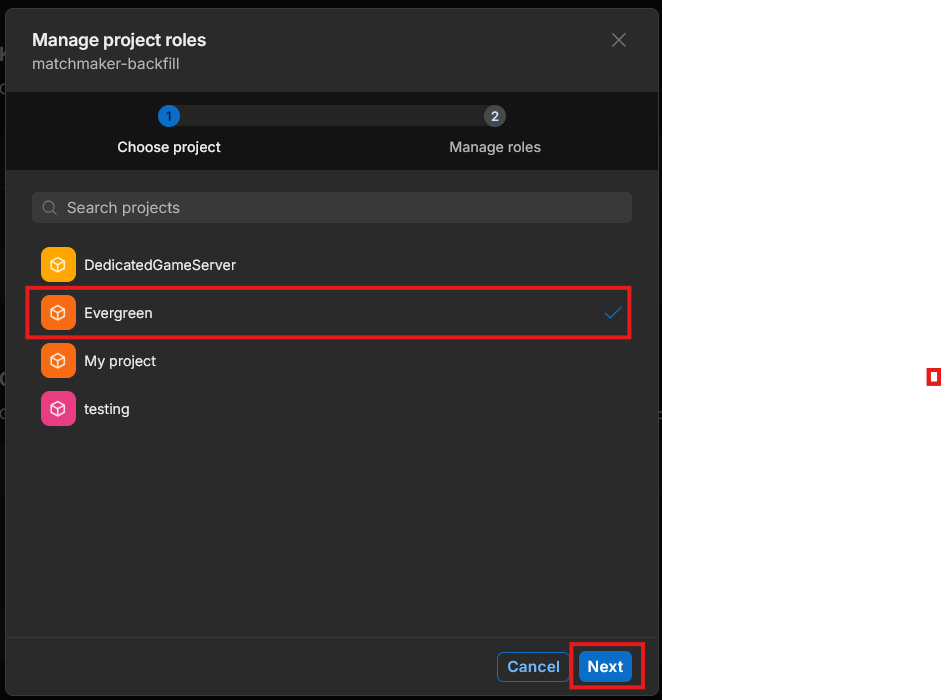
Select the project that contains your matchmaker resources then click next
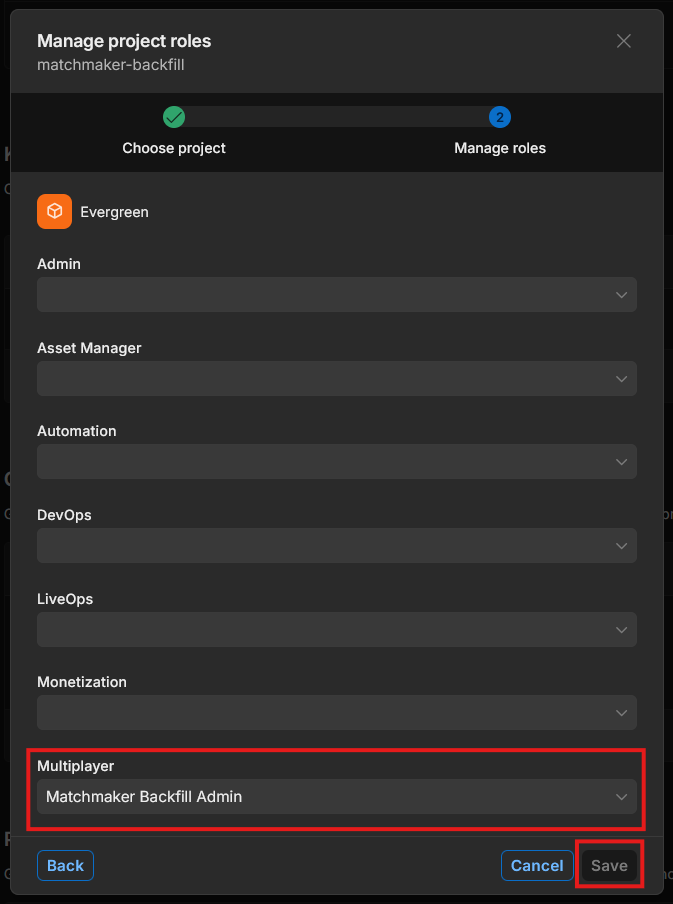
Under “Multiplayer” select “Matchmaker Backfill Admin” and then click “Save”:
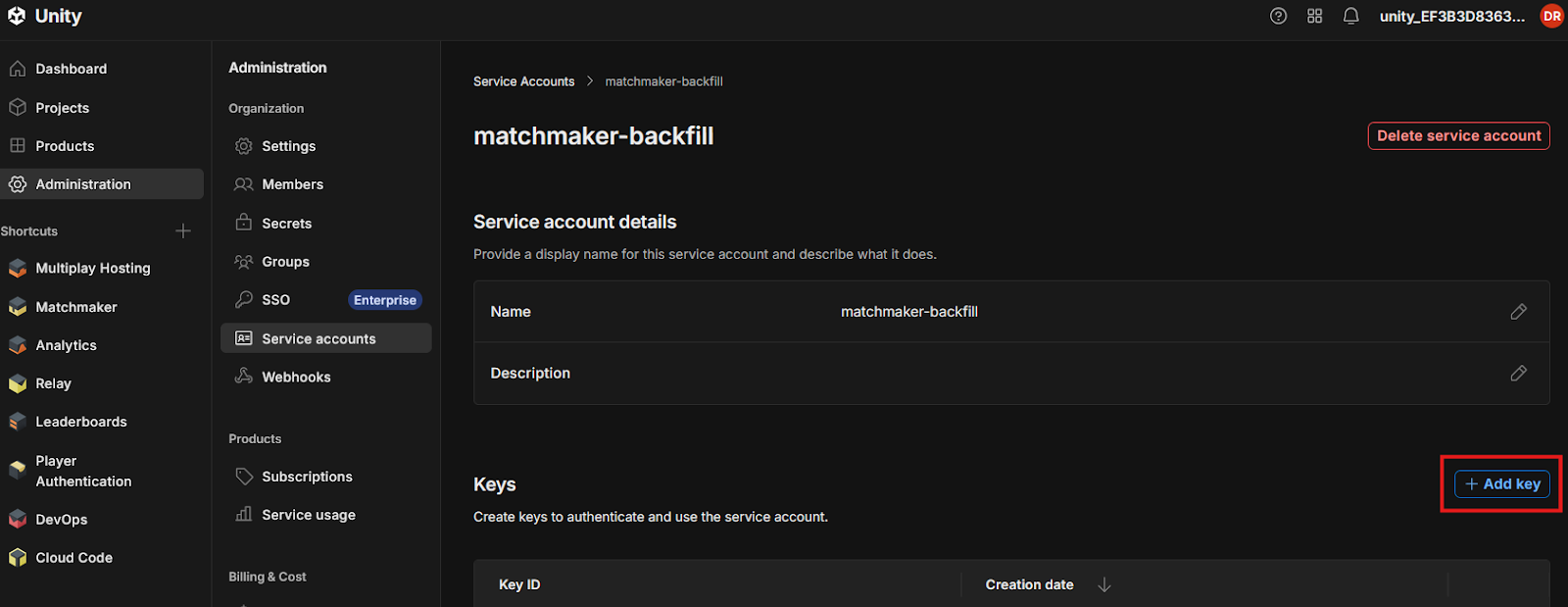
Back on the overview page for your service account click “+ Add Key” next to the “Keys” section:
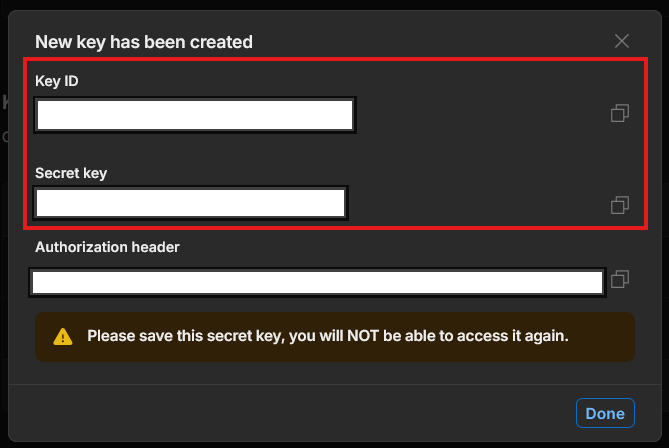
Make a note of the key ID and secret key from the modal:
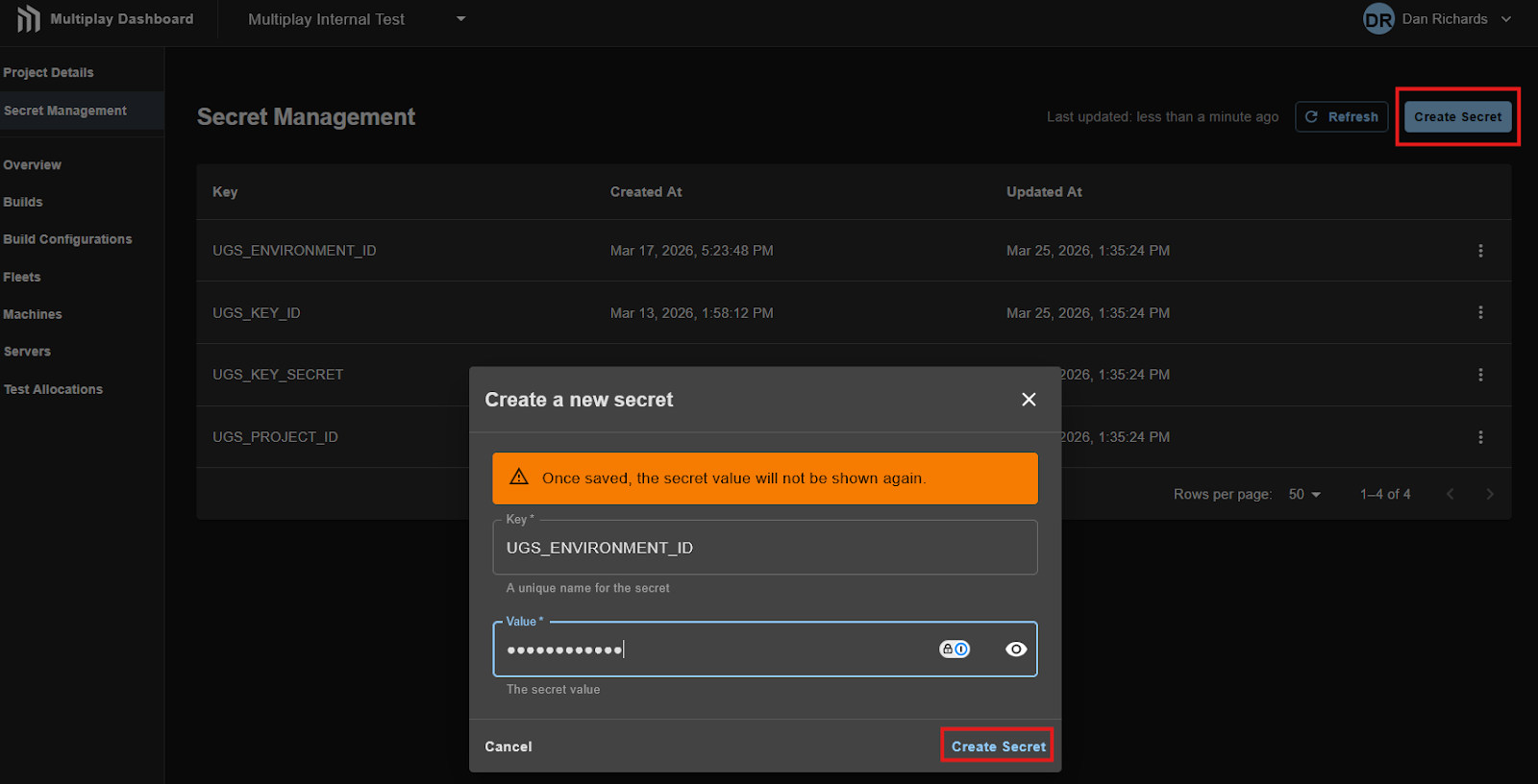
Next you need to create Multiplay secrets containing the Unity credentials, environment and project details. This can be done in the Multiplay dashboard under “Secret Management” in your project:
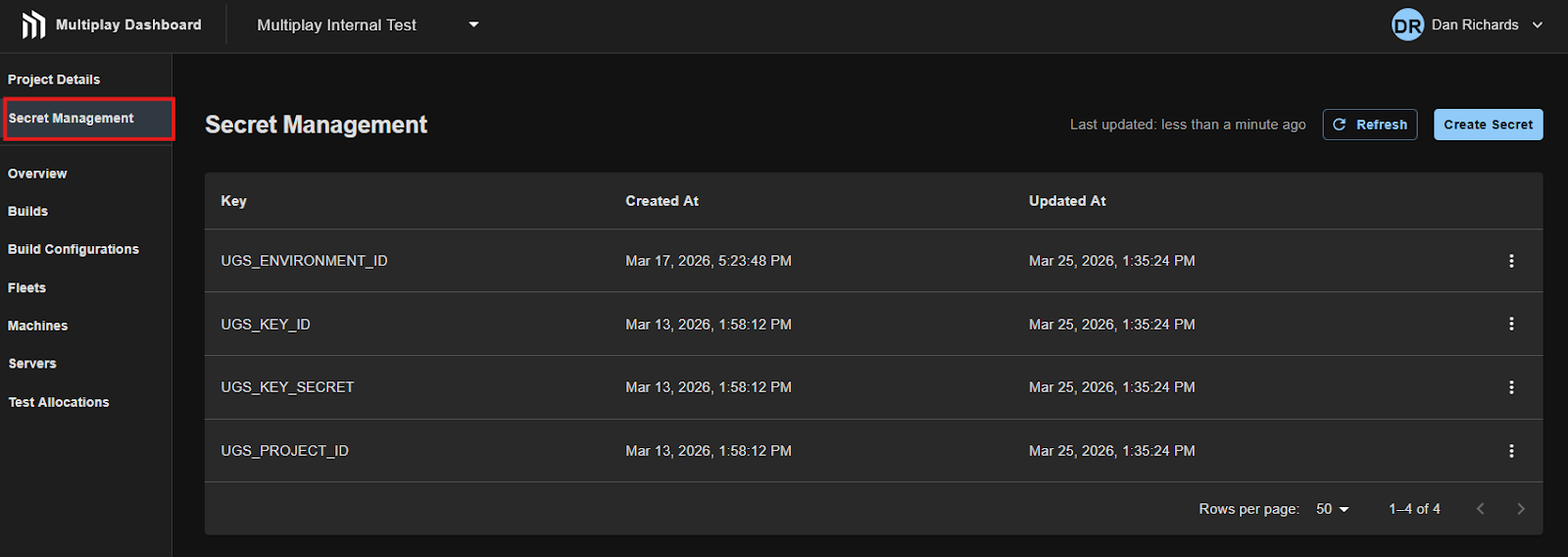
You must then create 4 secrets using the details you noted down earlier from the Unity Dashboard:
Placeholder | Expected value |
UGS_ENVIRONMENT_ID | ID of the Unity environment that contains the matchmaker resources |
UGS_KEY_ID | Key ID from the Unity service account that has matchmaker backfill admin permissions |
UGS_KEY_SECRET | Secret Key from the Unity service account that has matchmaker backfill admin permissions |
UGS_PROJECT_ID | ID of the Unity project that contains the matchmaker resources |
Note: the secret names in the request body MUST match exactly as shown.
Open the create secret modal by clicking on the “Create Secret” button. Enter the secret key and name, then click “Create Secret”: